
We're now live on ToolsUnited.
That means you can access Fullerton tools directly inside your workflow - no manual entry, no guessing, no wasted time building tools from scratch.
What this actually changes:
- Download full 3D models of our tools
- Import directly into your CAM system
- Build complete tool assemblies before cutting a chip
- Eliminate manual data entry and reduce setup errors
Bottom line - faster programming, fewer mistakes, and more confidence when you hit cycle start.
How to Access Fullerton Tools on ToolsUnited
Getting started is straightforward.
- Head to the ToolsUnited search page: https://toolsunited.com/EN/ParametricSearch/ToolingSearch
- Log in (or create a free account if it's your first time)

- Search using the Fullerton EDP/part number

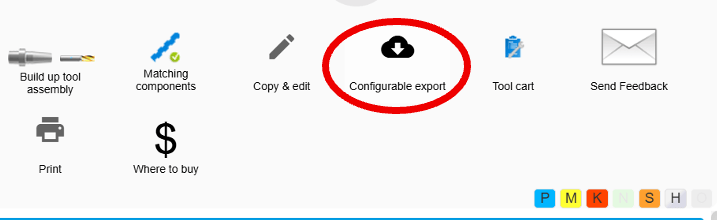
- Select the tool and choose "Configurable Export."
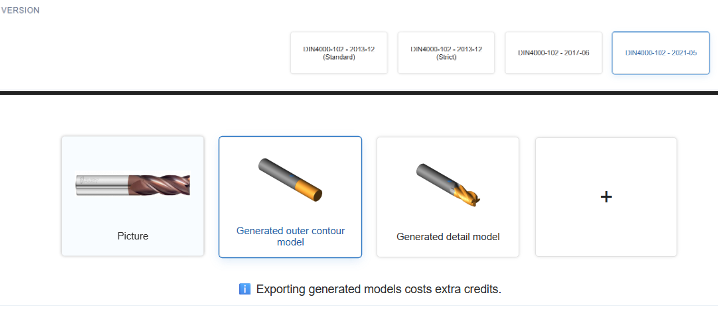
- For 3D models, select "DIN4000-DIN26100" Container v2021

- Select "DIN4000-102-2021-05" and select "Generated outer contour model". (Make sure any items under "Additional Data" are deselected this will cost more money.)
- Select "Start Export"

- Then select "Buy Now and Start Export"
Why This Matters
Programming shouldn't slow you down.
Having the right tool data - ready to drop into your system - means less time building, more time cutting.
If you're already using ToolsUnited, take a look.
If not, it's worth exploring how it fits into your process.